GearOS Account Deletion, Selective Deletion, And Data Export
How users request account deletion, what gets removed, and what is retained.
GearOS Account Deletion, Selective Deletion, And Data Export
Effective date: 2026-02-18
This page explains how consumer users of GearOS can:
- Export selected data without deleting their account.
- Delete selected data categories while keeping account/subscription login context.
- Delete their full account and consumer subscription data.
Scope
- This self-service flow currently applies to consumer accounts (
B0,P1,P2,P3,S1,S2,S3). - For pro account deletion requests, contact support.
Data Privacy Controls (Keep Account Active)
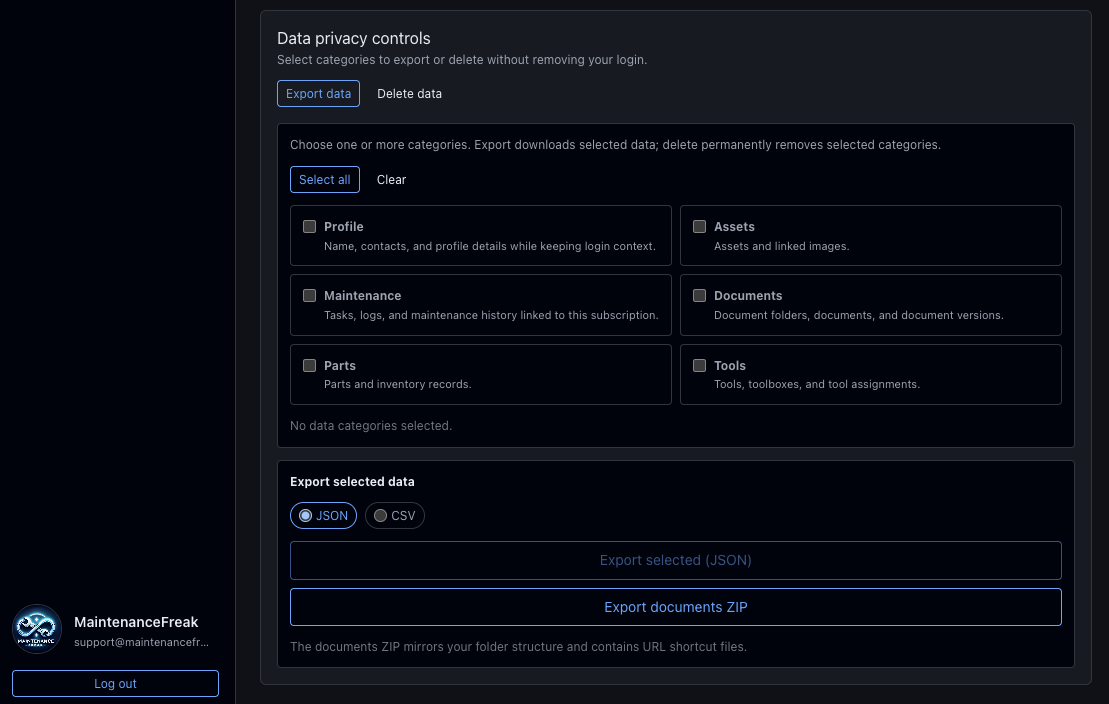
The Account page includes Data privacy controls with these categories:
ProfileAssetsMaintenanceDocumentsPartsTools
These controls allow export or selective deletion while keeping the user account and subscription login context active.
Export Selected Data (Web Only)
- Sign in at
/auth/login. - Open
/account. - In
Data privacy controls, choose one or more categories. - Select export format:
JSONorCSV. - Select
Export selected (JSON|CSV). - Optionally select
Export documents ZIPfor folder-mirrored document/image URL shortcuts.
Export outputs:
JSONexport: one downloadable JSON file for selected categories.CSVexport: one downloadable ZIP containing CSV files for selected categories.Documents ZIPexport: one downloadable ZIP mirroring document folders and containing URL shortcut files for documents/images.
Delete Selected Categories (Web Only)
- Sign in at
/auth/login. - Open
/account. - In the
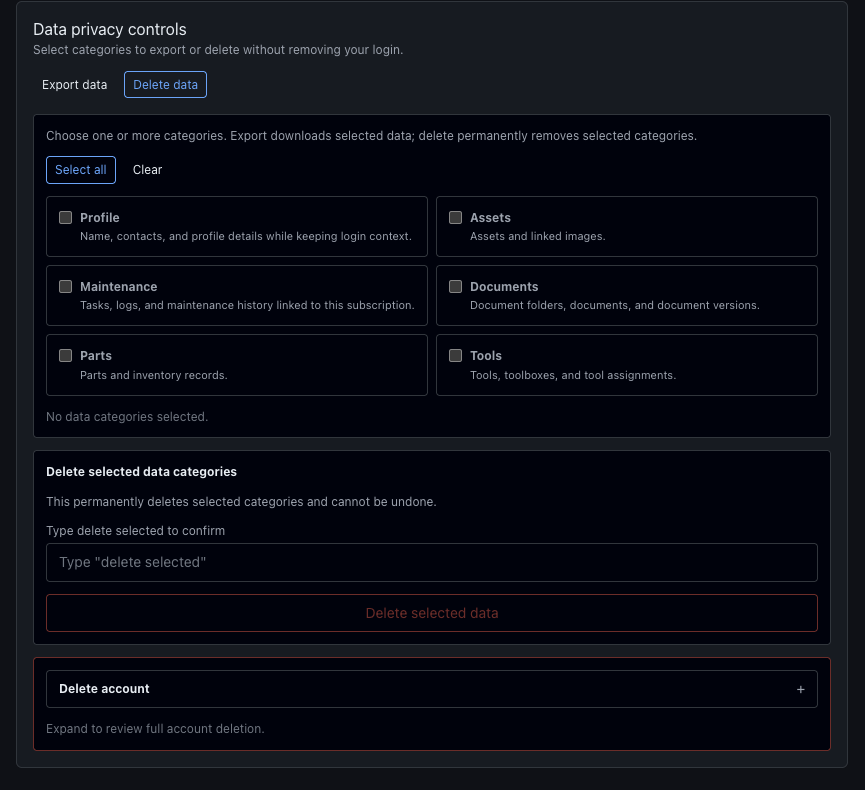
Data privacy controlsaction column, selectDelete data. - Choose one or more categories.
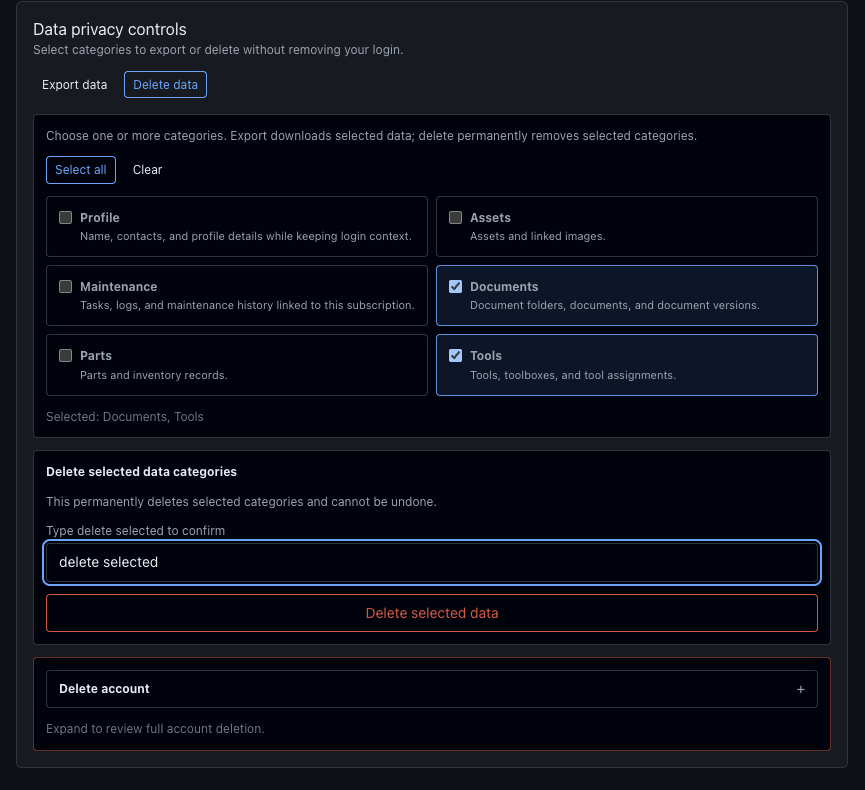
- In
Delete selected data categories, typedelete selected. - Select
Delete selected data.
Web UI Reference Screenshots (Delete Data)
Account Page > Data privacy controls
Select "Delete data" in action menu
Choose one or more categories > Delete Selected
Result:
- Only selected categories are permanently removed.
- Account/subscription login context remains active.
Full Account Deletion
How To Request Account Deletion (Web Only)
Use these steps in the GearOS web app:
- Sign in at
/auth/login. - Open
/account. - In the
Data privacy controlsaction column, selectDelete data. - Expand the section with the title "Delete account"
- Press the "Delete account" button.
- Review the irreversible warning.
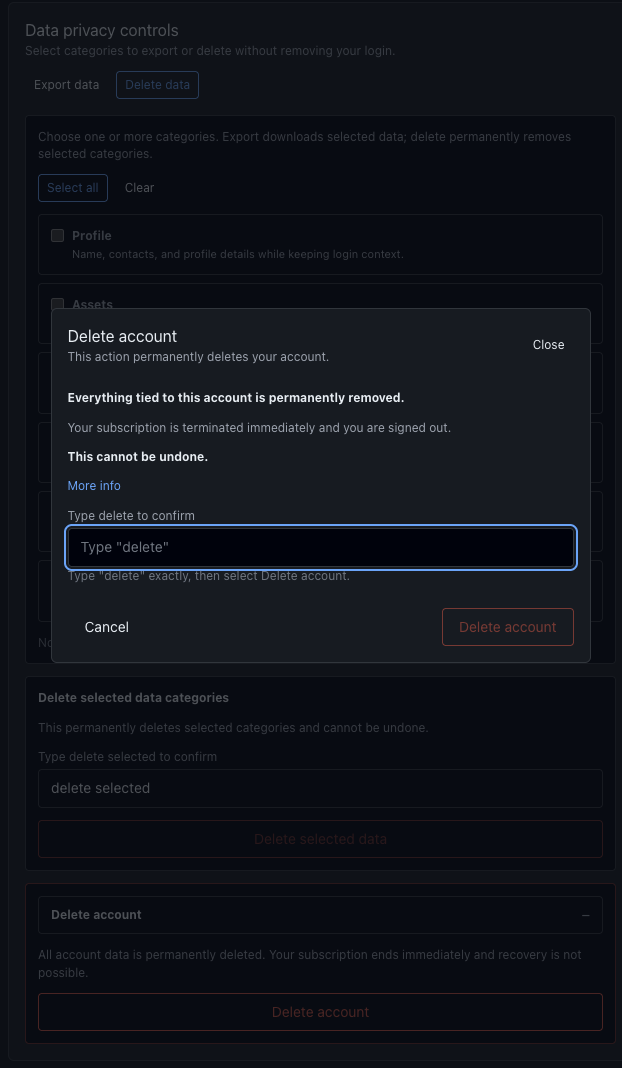
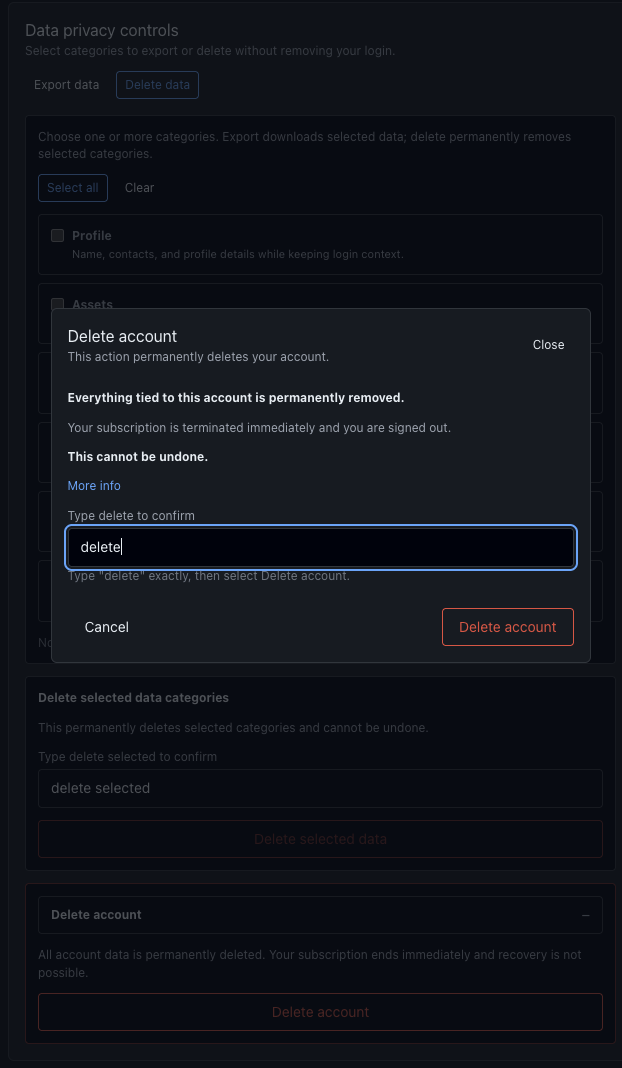
- Type the required confirmation text in the modal.
- Confirm the deletion request.
Web UI Reference Screenshots (Delete Account)
Account Page > Data privacy controls
Select "Delete data"
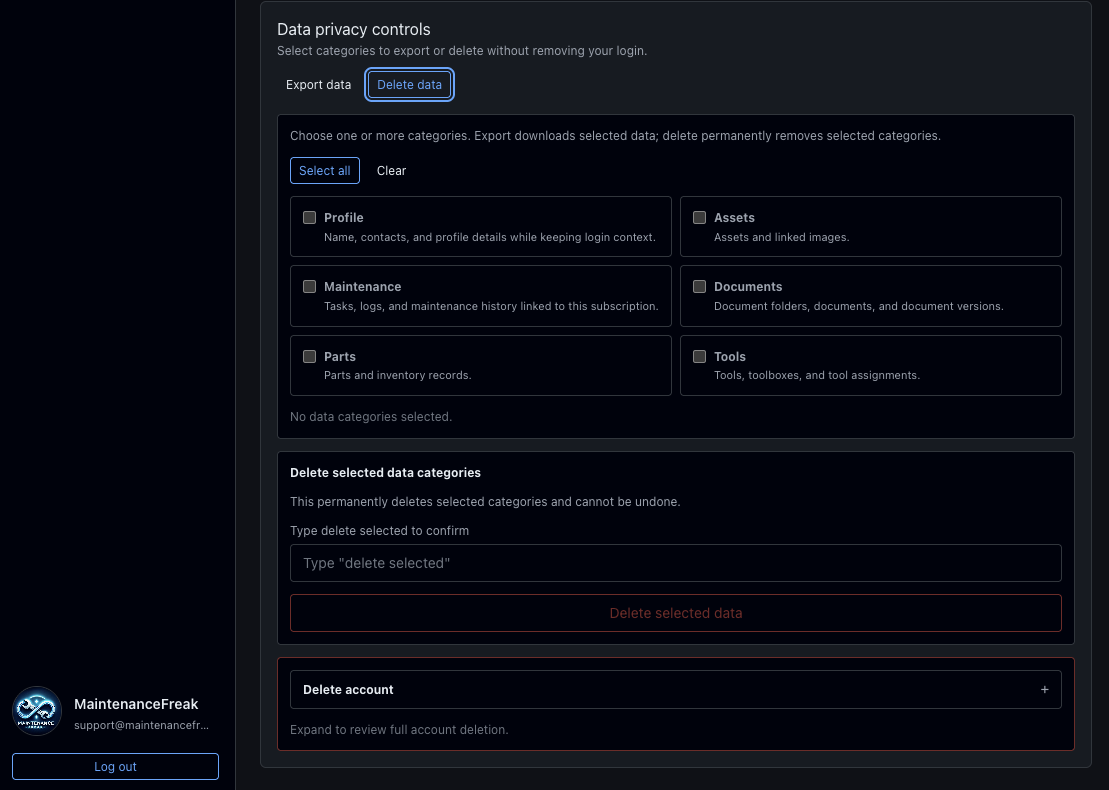
Delete Account Modal (Opened)
Expand "Delete account" > Press "Delete account"button
Delete Typed, Action Enabled
If you cannot access the app, email the request from your account email address to:
support@gearos.io- Subject line:
Delete My MaintenanceFreak Account
What Happens On Full Account Deletion
When you delete your account:
- Account data tied to that consumer account is permanently deleted from active systems.
- The active subscription is terminated immediately.
- Any remaining prepaid subscription time is forfeited and is non-refundable except where required by law.
After confirmation, GearOS permanently removes the account and consumer subscription data from active systems, including:
- Account profile and authentication state.
- Consumer subscription and membership records.
- Garage data, invites, roles/grants, and garage member access for that garage.
- Assets, maintenance tasks, posts, parts links, and related records in that consumer subscription.
- Documents, document versions, folders, and document links.
- User images, asset images/thumbnails, and other linked media.
- S3 objects associated with that consumer account/subscription (including images, thumbnails, documents, and attestation evidence uploads).
- For paid consumer subscriptions, active paid subscriptions are cancelled before deletion, remaining prepaid time is forfeited, and the Stripe customer profile is not deleted at Stripe.
Data Operations: Deleted Vs Kept
| Operation | Data Removed | Data Kept |
|---|---|---|
| Export selected data | Nothing is deleted. | Account, subscription, and all source data remain active. |
| Delete selected categories | Only selected categories (Profile, Assets, Maintenance, Documents, Parts, Tools). | Account and subscription login context remain active. Non-selected categories remain active. |
| Delete account | Full consumer account + linked consumer subscription data. | Payment archive records and processor-required records only (where legally required). |
Data Types: Deleted Vs Retained
| Data Type | GearOS Examples | Deletion Behavior | Additional Retention |
|---|---|---|---|
| Personal info | Email, username, phone, profile details, preferences | Deleted from active systems when included in selective delete or full account delete | Backup copies only (up to 35 days) |
| Financial info | Subscription metadata and platform IDs (Stripe/Apple/Android plan/subscription references) | On full account delete, active subscription row is removed; prior paid subscription states are archived for audit/legal purposes | Payment archive + processor records may be retained for legal/tax obligations (up to 7 years) |
| Photos and videos | Profile photos, asset photos, thumbnails, attestation evidence images | Deleted from DB + S3 when included in selective delete or full account delete | Backup copies only (up to 35 days) |
| Files and docs | Documents, versions, folder records, linked file objects in S3 | Deleted from DB + S3 when included in selective delete or full account delete | Backup copies only (up to 35 days) |
| App activity | Maintenance tasks, posts/interactions, invite history, garage associations | Deleted from active systems when included in selective delete or full account delete | Security/operational logs may retain minimal event metadata (up to 90 days) |
| App info and performance / Device or other IDs | Auth refresh tokens, app-install linkage, principal/resource access mappings | Deleted from active systems on full account delete; category-scoped deletion follows selected targets | Security logs may retain minimal technical metadata (up to 90 days) |
Timing
- Selective deletion and full account deletion are processed as soon as the request is confirmed.
- In normal conditions, removal is completed shortly after request processing.
- Limited retained data (if any) is automatically purged when retention windows expire.
Notes
- Selective deletion is permanent for selected categories and cannot be undone.
- Data export files are user-generated downloads and do not delete source data.
- GearOS does not use full account deletion as a soft deactivation for consumer self-service deletion; the flow is a hard delete of consumer account data in active systems.
- Full account deletion terminates the active subscription immediately and forfeits remaining prepaid time (except where required by law).
- Where laws require retention (for example, billing, tax, fraud, or dispute handling), only the minimum required records are kept for the required period.